Stop patching WordPress. Leave it.
On 21 October, PHP2Shell let anyone run code on a WordPress server without logging in. We move your site to Astro or Next.js with Sanity or Payload: pages built ahead of time, no PHP on the server, nothing to patch at 3am.
The WordPress tax, paid monthly
None of this is your team's fault. It is what a PHP server, a theme and twenty-odd plugins from different vendors add up to.
Emergency patches nobody scheduled
PHP2Shell landed on a Tuesday. Hosts rushed out updates, some sites went offline as a precaution, and someone on your team spent the evening checking whether yours was one of them.
Plugins nobody remembers installing
Every plugin is a separate vendor with its own update schedule and its own access to your database. One abandoned plugin is enough.
Updates that break the layout
Core, theme and page builder update on different days. You find out which combination broke the homepage when a client emails you.
A slow site on a fast connection
Every visit asks PHP and MySQL to assemble the page again, and a caching plugin tries to hide it. Your Core Web Vitals pay the difference.
A login page the whole internet knows
/wp-login.php and /xmlrpc.php sit at the same address on every WordPress site, so bots try them on yours around the clock.
What happens to your plugins
Pick the plugins you run today. Each one becomes part of the site itself, or turns out not to be needed at all.
- Yoast SEO / Rank MathSEO fields in the CMSTitles, descriptions, social images and redirects are edited next to the content. Sitemaps and structured data are generated with every build.
- Contact Form 7 / WPFormsA form built into the siteValidated on the server, filtered for spam and sent to your inbox, CRM or Slack. No plugin, no admin-ajax.php.
- Advanced Custom FieldsA real content modelYour post types and fields become Sanity schemas or Payload collections: typed, validated and reusable across pages.
- Elementor / DiviYour own component librarySections are built once in code and composed by editors from approved blocks, so every page stays on brand.
- WP Rocket / W3 Total CacheNot neededPages are built ahead of time and served from a global CDN. There is nothing left to cache on the fly.
- Wordfence / SucuriNot needed on the siteWith no PHP and no login page on your domain, a security plugin has nothing to guard. The hosting firewall still filters traffic.
- UpdraftPlusVersion historyEvery content change is kept in the CMS history and every code change in Git. Rolling back is a click, not a restore.
- Smush / ShortPixelAutomatic image pipelineImages are resized, converted to modern formats and served at the right size for each screen.
- WPML / PolylangBuilt-in localisationTranslations live per field or per document in Sanity or Payload, with their own URLs and hreflang.
- RedirectionRedirects in the configEvery old URL is mapped to its new home in the hosting config, versioned with the code.
- Site Kit / MonsterInsightsAnalytics with consentGoogle Analytics or a privacy-first alternative, loaded only after consent. No dashboard plugin.
- WooCommerceCommerce, scoped separatelyShops move to Shopify or another commerce platform behind the same front end. We scope this per project.
Same content, different engine
Astro and Next.js decide how pages are built. Sanity and Payload are where your team edits. We recommend a pair after the audit.
| Feature | Astro + Sanity | Next.js + Payload | WordPress |
|---|---|---|---|
| Security | |||
| No PHP on the server | |||
| No plugins to keep patched | |||
| Editor login off your public site | Separate /admin route | ||
| Server patches applied by the platform | Depends on your host | ||
| Performance | |||
| Pages served pre-built from a CDN | With a caching plugin | ||
| Images resized and converted automatically | Plugin | ||
| Ships only the JavaScript a page needs | Per route | ||
| Editing | |||
| Live preview while editing | |||
| Structured, reusable content | With ACF | ||
| Content history and rollback | |||
| Self-hosted CMS option | Hosted by Sanity | ||
| Ownership | |||
| No theme or plugin licences | |||
Sites we've already moved
Different stacks for different jobs: a law firm on Next.js and Payload, a residential launch and our own studio on Astro and Sanity.
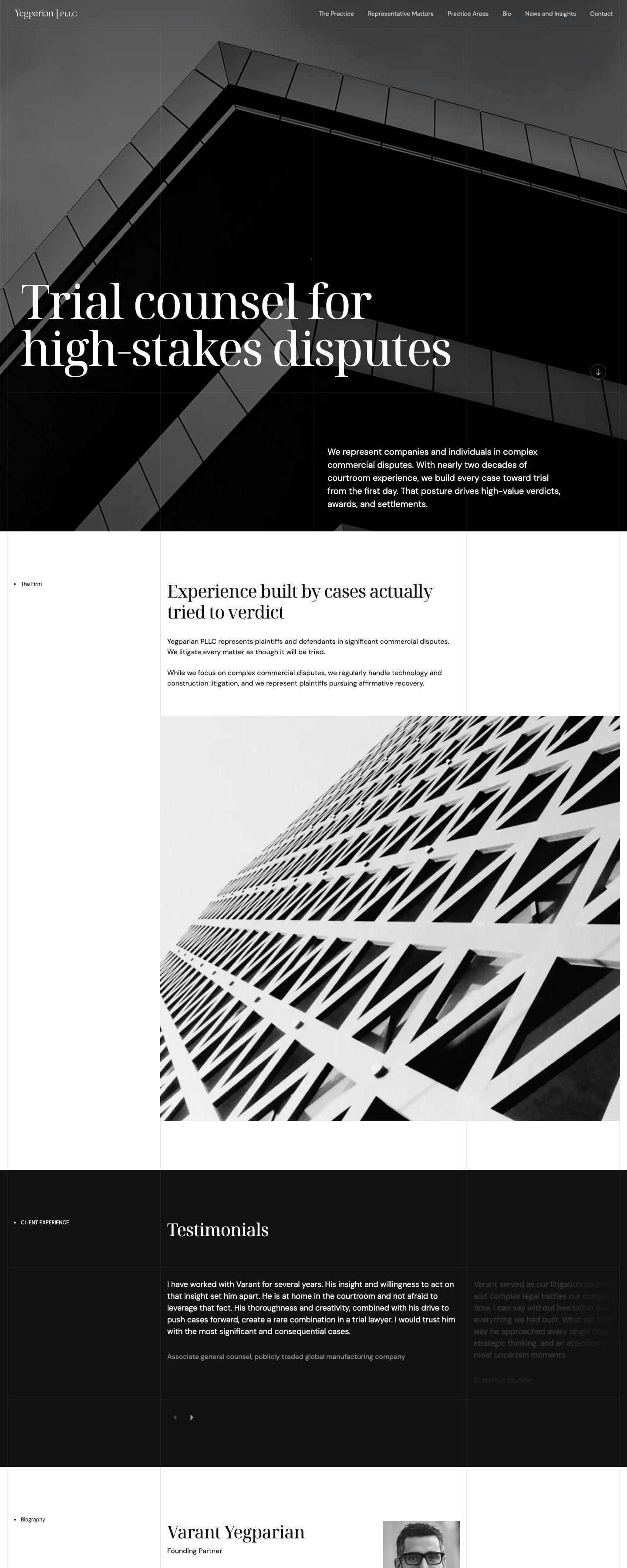
Yegparian PLLC
WordPressNext.js + Payload
An Austin trial litigation firm. Practice areas, matters and insights are Payload collections, and every page is pre-rendered and served from the edge.
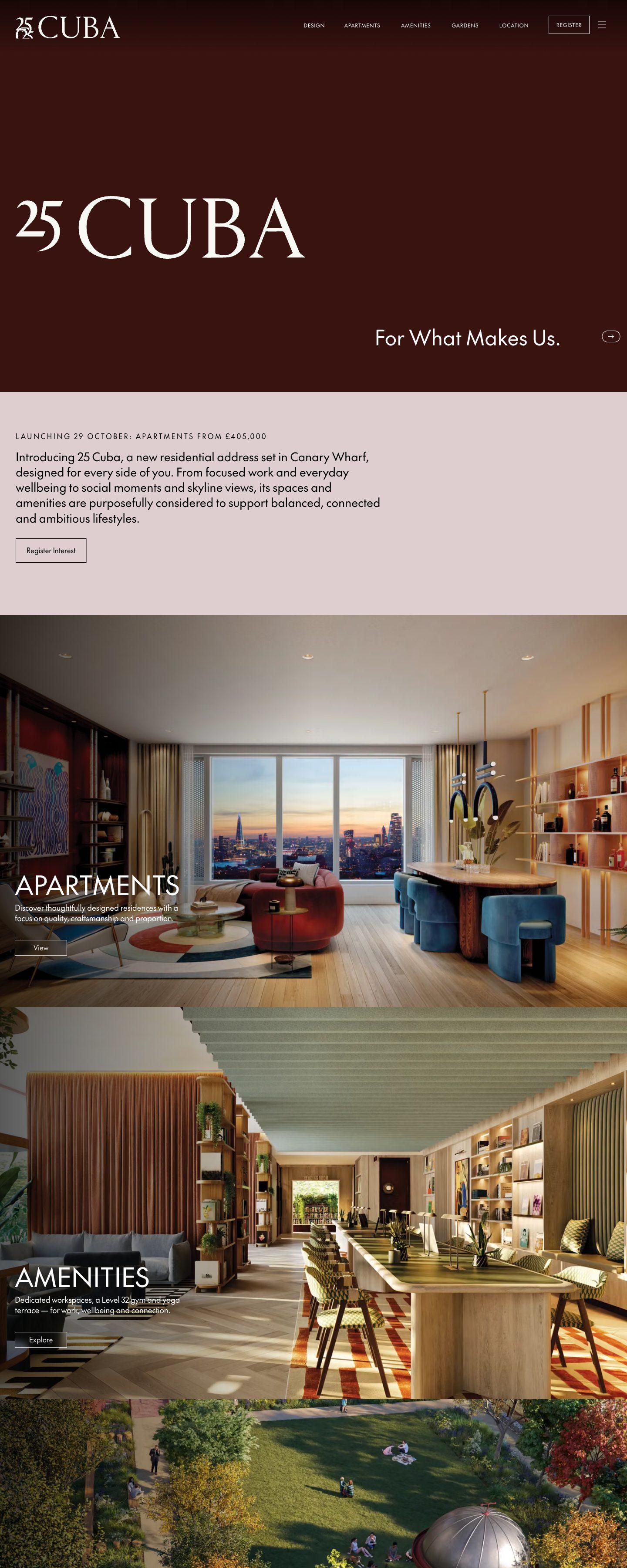
yegparianpllc.com (opens in a new tab)25 Cuba
WordPressAstro + Sanity
A new residential address in Canary Wharf. Apartments, amenities and galleries are edited in Sanity, and the site ships as static Astro pages.
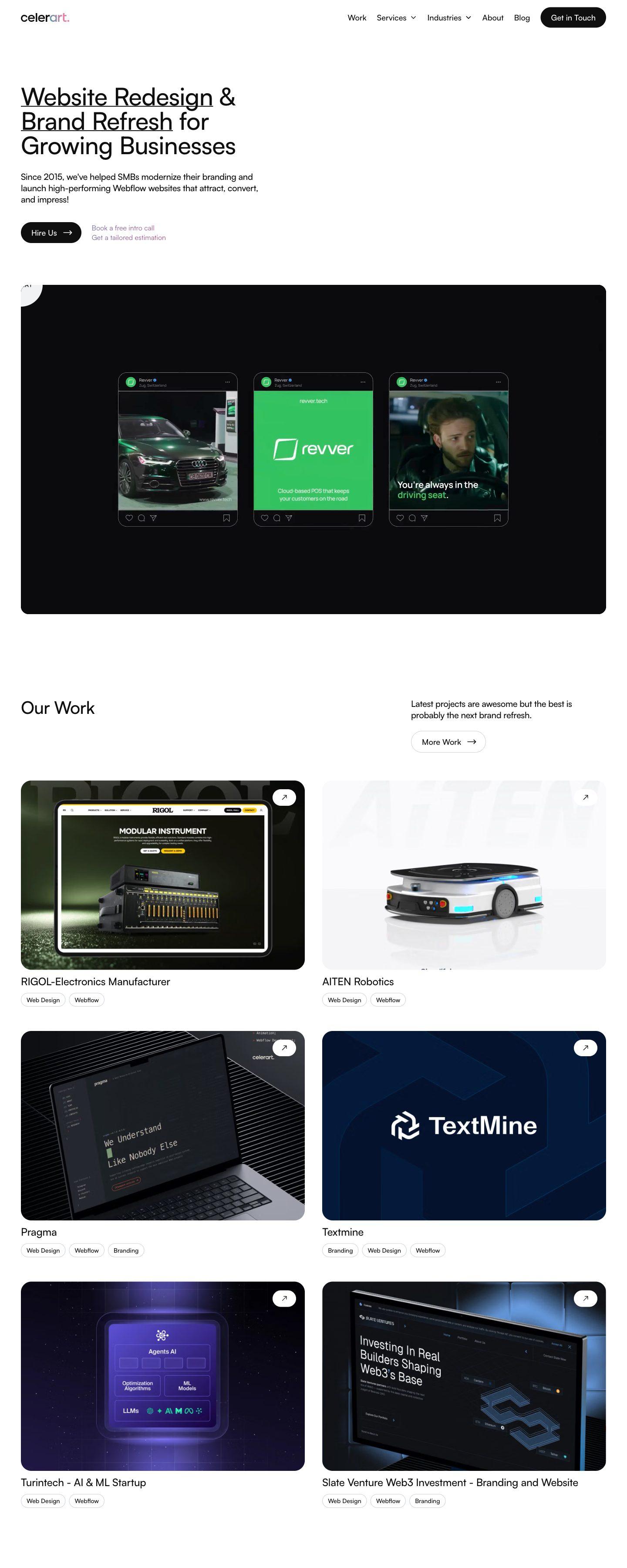
25cuba.com (opens in a new tab)Celerart
WebflowAstro + Sanity
Our own studio site. Every one of the 164 old URLs was carried over or redirected, and all content is now edited in Sanity.
celerart.com (opens in a new tab)
How we move a WordPress site
Your WordPress site stays live until the new one is ready. The switch is a DNS change, not a weekend of downtime.
Audit
Audit
We crawl every URL, list every plugin, form and integration, and export your rankings, so nothing is lost by accident.
Content model
Content model
Post types, custom fields and taxonomies become a clean schema in Sanity or Payload, shaped around how your team actually edits.
Content import
Content import
Posts, pages, media, authors and categories move by script. Rich text is converted, images re-uploaded and internal links rewritten.
Front end
Front end
We rebuild the design in Astro or Next.js: the same look, or a refresh if one is due. Every template is checked against the old one.
Redirects and launch
Redirects and launch
Every old URL gets a permanent redirect to its new address. Metadata, sitemaps and structured data are compared before the DNS switch.
Handover
Handover
Your team gets a walkthrough of the new editor. Then the WordPress server is switched off for good.



Questions about leaving WordPress
Yes. Until the new site is live, keep PHP on 8.5.12, 8.4.27, 8.3.36 or 8.2.35 or newer, and ask your host to confirm it. The migration removes the next patch, not this one.
It has far less to attack. Visitors receive pre-built pages from a CDN, so there is no PHP interpreter, no database and no login page on your public domain. Editing happens in a separate, authenticated service.
Astro suits content-led sites that should be as fast and simple as possible. Next.js suits sites with logged-in areas or app-like features. Sanity is a hosted editor with real-time collaboration; Payload runs inside your own app and database. We recommend a pair after the audit.
We scope them one by one. Usually a dedicated service such as Shopify, Stripe or a booking tool takes over, connected to the new front end. The audit tells you what moves where.
Not if the move is planned. Every URL keeps its address or gets a permanent 301 redirect, and titles, descriptions, structured data and sitemaps are carried over and checked before launch. We watch Search Console for the weeks after the switch.
Yes. Sanity and Payload are editors built for content teams, with live preview, drafts and version history. Most teams find them simpler than wp-admin, because they only see the fields that matter.
It depends on the number of pages, custom post types and integrations. After the audit you get a fixed scope and timeline, and the old site stays live until launch day.